

STEM Toys for Kids {Why We Love the mBot Neo Coding Robot}
Just so you know, this post contains affiliate links. That means if you use them to make a purchase, I may earn a commission. You can read my full affiliate disclosure HERE.
Are you looking to infuse a healthy dose of STEM education and coding into your homeschool curriculum? Would you love some great STEM toys for your kids?
The idea might sound a bit intimidating, especially if you’re a parent who’s not quite sure where to begin with coding and programming.
Fear not, because the Makeblock mBot Neo with Coding Project Box is here to make the learning journey easy, fast (and incredibly fun) for both beginners and young learners!
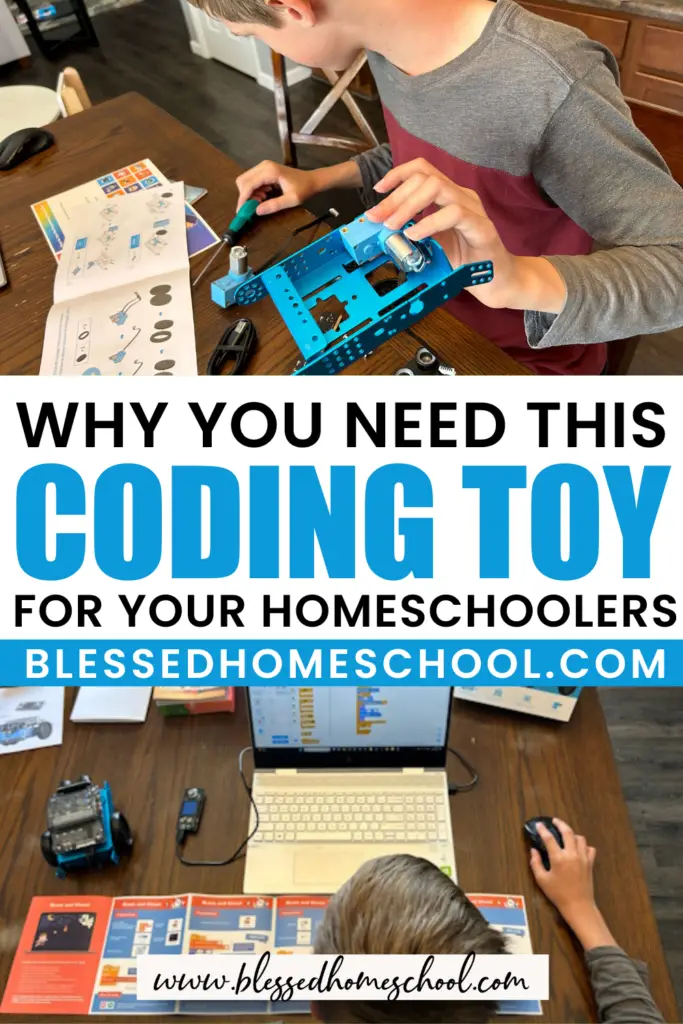
In today’s digital age, understanding the fundamentals of coding is more important than ever. The mBot Neo coding robot is designed to be the perfect companion for kids who want to begin learning coding, and for parents who might be feeling a bit lost when it comes to teaching these concepts.
With the mBot Neo and its Coding Project Box, homeschooling STEM becomes a breeze. This educational kit comes equipped with 15+ games and projects that will engage your kids while they build their robot and learn the art of coding.
What are the Benefits of Coding Robots?
Using coding robots in your homeschool can offer several educational and practical benefits.
Coding robots will introduce your kids to fundamental concepts in science, technology, engineering, and mathematics (STEM) in a fun way — they’ll think they’re just playing, but will be learning so much! This exposure can spark an early interest in STEM subjects, potentially leading to future career opportunities in STEM fields.
Coding toys also require kids to think critically, creatively, and logically. They must identify problems, design solutions, and troubleshoot issues, fostering essential problem-solving skills.
Programming robots such as the mBot encourages computational thinking, where they’ll have to break down complex problems into smaller, manageable steps. This skill is not only valuable in coding but in many aspects of life.
Finally, your hands-on learners will love building their coding skills in this way. Learning to program robots teaches kids coding languages and principles, which are becoming increasingly important in our technology-driven world. These skills can serve as a foundation for more advanced coding and programming in the future.
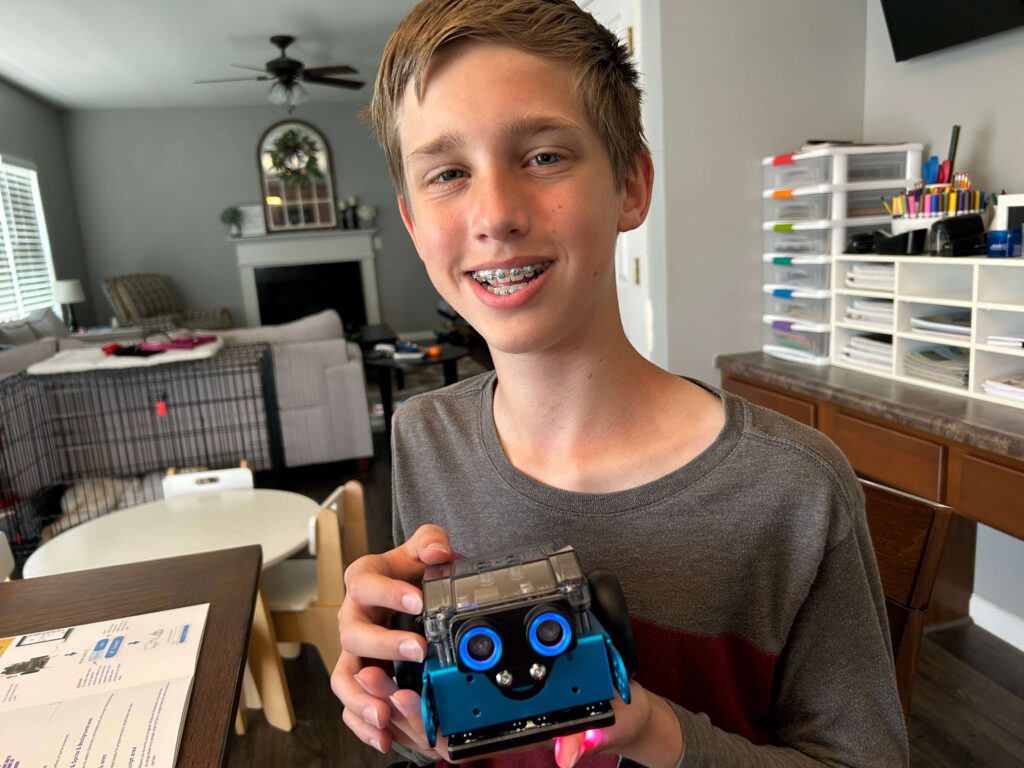
What Comes in the mBot Neo Coding Project Box?
My son and I were thrilled to have a chance to build an mBot Neo and explore some of the coding activities together!
Check out this video to see exactly what is included in the box, how easy it is to put the robot together, and what types of coding activities you can expect with this kit.
Building the mBot Neo
The first thing we needed to do was build the robot.
My son (11 years old) went to town on this on his own, and easily followed the step-by-step building instructions (which reminded me quite a bit of Lego instructions — so it was right up his alley!).

The building process was not only straightforward but really enjoyable. The kit includes literally everything you need (down to the screwdriver!), and the step-by-step instructions provided in the manual are clear and easy to follow.
It’s such a good opportunity for beginners to learn about robotics and how different parts come together to create a functional robot. I was particularly impressed by the quality of the components, which ensured a sturdy and reliable end result.
Coding Project Boxes
Once we had the robot built, we installed the mBlock software on our computer and began to explore the coding project boxes.
The coding project boxes include a diverse range of game-based coding projects, each designed to enhance coding skills and offer a hands-on learning experience.
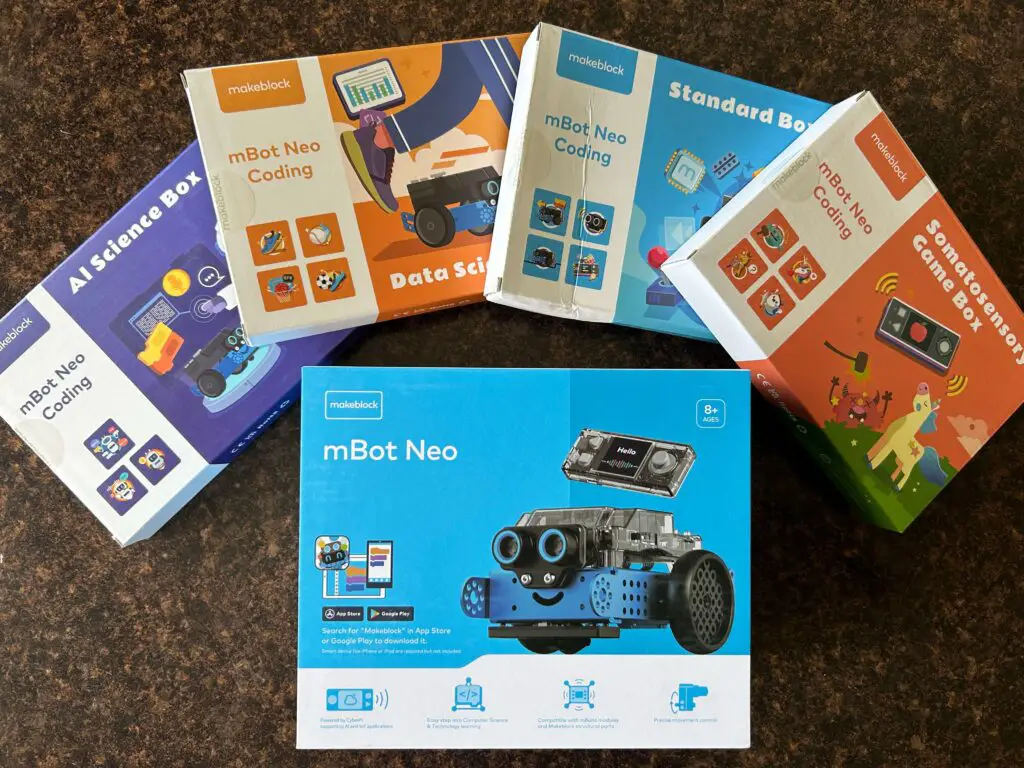
There are 4 different boxes included with this kit:
- Robotics Coding (Standard Box)
- Somatosensory Games
- AI Technology
- Data Science
Each box has 3-4 detailed, visual, step-by-step instructions for creating engaging, gamified coding projects. Some projects involve programming the robot, but others are just coding programs your kids will run online.
Here’s an example of the Data Science Box and the activities included:

Learning to Code with mBlock
Kids will start code using mBlock, which is a free and open-source software supporting block-based coding and Python programming.
The drag-and-drop interface makes it really easy for kids to understand the logic of coding without needing to type in lines of code.
My son LOVED creating this Brave and Ghost game. To be honest, he has done a bit of coding using Scratch in the past, and also has a Codey Rocky coding robot he has tinkered with. He didn’t think he would be that impressed with this.
But he was! And I quote (Luke): “This is complicated! I’ve never made an actual game before that works with a controller!” He got such a kick out of it!

I really appreciated how the programming projects spanned various topics and difficulty levels, so my son can use this tool to build and grow his skills.
After using the projects in the kits, my son was really inspired to use the program to create his own games and continue trying to program the robot.
Robotics Coding
The Standard Box is the one that your kids will use if they want to learn to program the mBot robot.
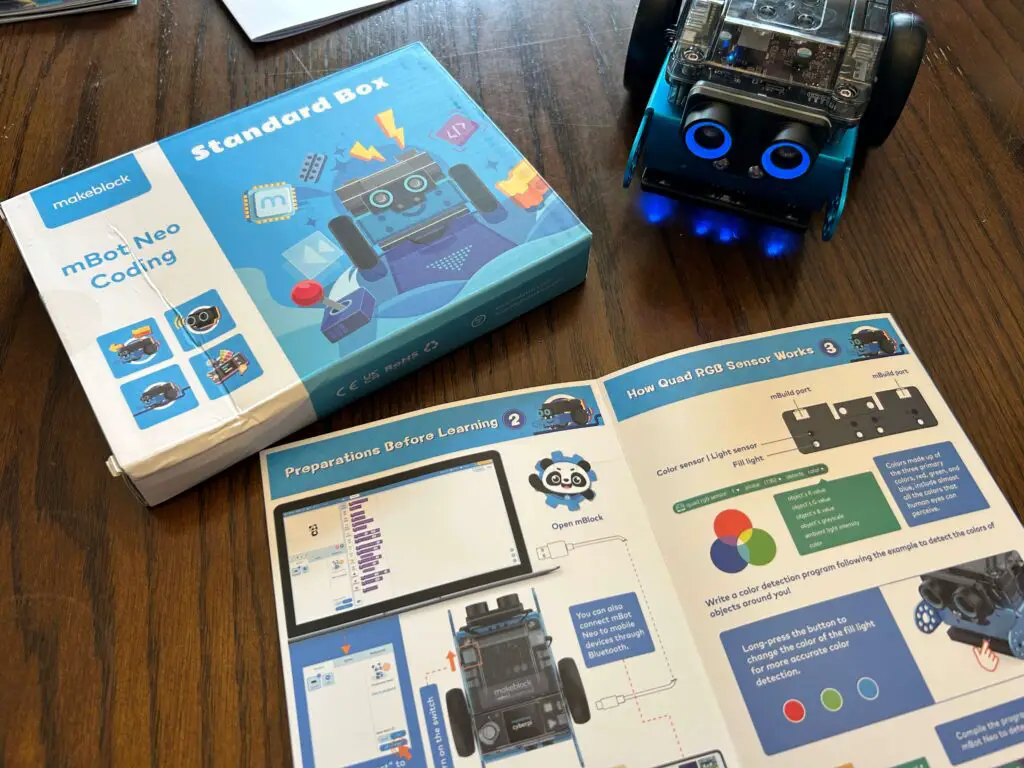
Here are some of the things we learned how to do using this particular kit:
- We used coding within the mBlock app to design an interface to control the mBot Neo robot.
- We learned what an ultrasonic sensor was, and how to use it to help our robot avoid obstacles when moving (and even display the distance of obstacles ahead of it!).
- We learned about all the different sensors the robot had and how to control it using sensors and code blocks.
- We learned how a quad RGB sensor works, and how to make our robot follow a line at different speeds.
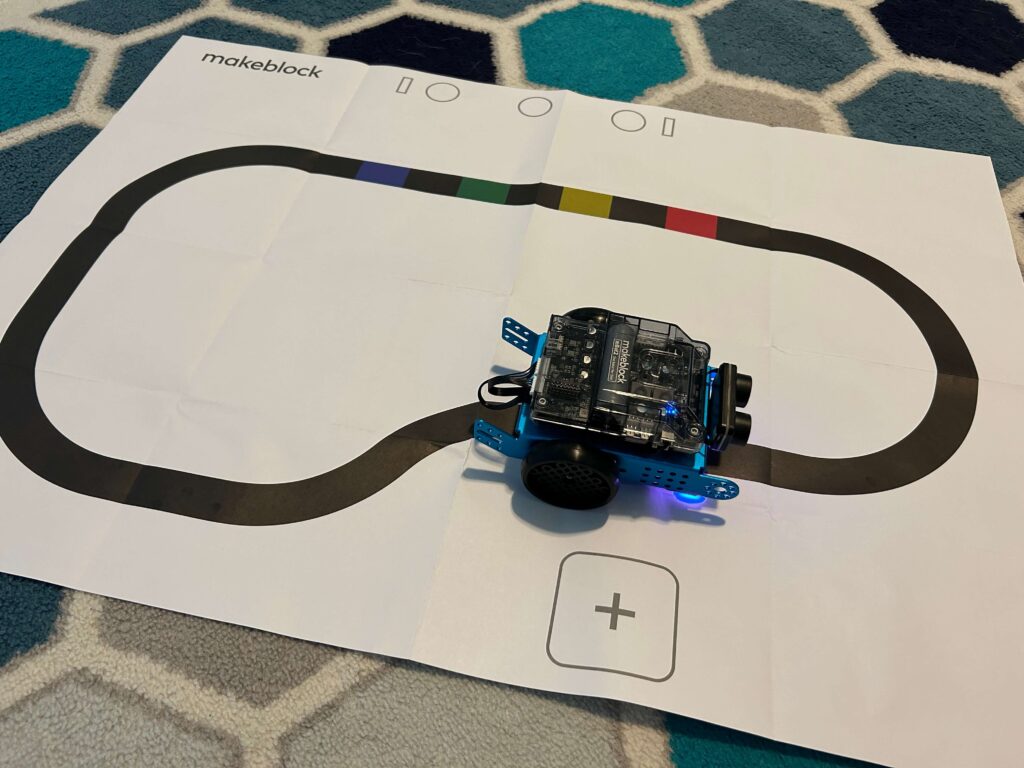
We were able to program the mBot Neo to move, turn, avoid obstacles, and even create light and sound displays with just a few clicks!
The immediate feedback and real-time interaction with the robot really gave my son a sense of accomplishment and excitement. We both loved how user-friendly the block-based coding interface was, and this really makes it suitable for a wide range of ages.
What We Loved About mBot Neo
The Makeblock mBot Neo Coding Project Box is more than just a robot-building kit; it’s a GREAT educational tool with a rich collection of coding projects and resources designed to foster creative exploration and skill development.
As we dove into the kit, I was so impressed by the diversity and educational value of the coding projects (and my son just thought he was having a great time — which he was!).
The coding projects not only introduced essential coding concepts, but their interactive nature encouraged experimentation and creativity. Whether it was programming the robot to follow lines, avoid obstacles, or respond to light and sound, each project was a mini adventure of its own.
Here’s what I loved the most about this resource:
A Multitude of Coding Projects — I loved the selection of coding projects, which give kids a mix of challenges and opportunities to apply their coding skills. These projects span from simple introductory exercises to more complex and interactive creations. Each one is designed to offer hands-on learning experiences that reinforce coding principles and problem-solving techniques. Great for incorporating coding into your homeschooling!
Step-by-Step Instructions — What sets the mBot Neo Coding Project Box apart is the clarity and accessibility of its instructional materials. Each coding project is accompanied by step-by-step instructions, written in a beginner-friendly language, making it easy for learners to follow along and complete the tasks.
The detailed guidance provided in the projects allows kids to see immediate results, reinforcing their understanding of coding concepts. It also encourages them to experiment and modify the code to create their variations, fostering creativity and critical thinking.
Educational Value — Beyond the technical aspects of coding, the coding projects in the mBot Neo Coding Project Box offer substantial educational value. They teach not only how to code but learners gain insights into logical thinking, problem-solving, and the practical applications of coding in robotics and automation.
By working on these projects, your kids will develop a deeper understanding of how code controls physical systems and devices, which is a fundamental skill in today’s increasingly tech-driven world.
Ongoing Learning Resources — The mBot Neo Coding Project Box provides more than just a one-time experience; it serves as a springboard for ongoing learning and exploration.
The knowledge and skills your kids will acquire while completing the coding projects can be applied to create custom projects and experiments, encouraging them to take ownership of their coding journey and take on more coding adventures.
Where can I find it?
While the price may initially be a consideration (the mBot Neo runs around $150), the value it can add to your homeschool is substantial. It nurtures not only coding skills but also a growth mindset, adaptability, and a lifelong passion for exploration and innovation.
Consider it a great investment (and they also make wonderful gifts for special occasions!).

You can find the mBot Neo on the Makeblock website, and you can also purchase this (and more!) on Amazon.
Best STEM Toys for Kids
Your kids can learn the fundamentals of programming as they experiment with the mBot Neo. This coding robot is an engaging and fun way for kids to learn, and the coding boxes provide easy-to-follow step-by-step guides which really helps beginners get started with the coding projects.
If you’re a homeschooling parent looking to integrate STEM education into your curriculum, I think you’ll find the mBot Neo Coding Project Box invaluable! It provides an all-in-one solution for teaching coding, robotics, and problem-solving, making it an ideal resource for homeschooling environments. We certainly have enjoyed it!
I’d love to hear from you in the comments: have you used any of the Makeblock products in your homeschool? Which do your kids love the most? Please share!

Related Posts
- STEM Made Easy with Online Coding Classes for Kids
- Free Printable Solar System Activity Pack
- Unique Homeschool Crafts for Your Creative Girls
Blessed Homeschool is a participant in the Amazon Services LLC Associates Program, an affiliate advertising program designed to provide a means for sites to earn advertising fees by advertising and linking to Amazon.com. You can read my full affiliate disclosure HERE.




This robot sounds like a lot of fun. I may have to check it out.
My little girl has been wanting to get into coding, but I didn’t know where to start. Looks like this Is a great way to start! Thank you for the chance to win the giveaway.
Learning about this has opened up a whole new world to our son!
My son would be so thrilled to have one of these!
Seems like a fun steam toy!
It would be cool to get this for my girls
We have not used any of the Makeblock products. But this coding robot looks fantastic and just what I’ve been looking to incorporate into our homeschooling. Thank you for the great review.
This looks so cool! I’d love to try it with my homeschool kiddo, 6th grade.
Excited!
Thank you for sharing!! Hope to win!!
Thanks
My son LOVES robots and coding! I was actually thinking about him doing a coding class next year. This will be perfect for him! Thank you for sharing your review, and letting us have a chance to win a mBot Neo!
My adopted grandson would really like this!
This robot sounds so cool! We will have to add it to our birthday wishlists for sure.
This looks like a lot of fun that will keep my two engaged for a while. They’ve been interested in STEM for a while now and this looks perfect for them.
This looks perfect for my 10 year old! I’ve been looking for something STEM and fun to incorporate with school. I also saw your video on the one for younger ages. Really cool!!!
Wow, this looks so cool! There’s so many coding options out there for kids, it’s hard weeding through them all looking for quality products and real learning!
Would love to win one of these for my kids.
Thank you 🙂
We’ve been assembling the wooden projects and I think we’re ready for something more. This looks like a great way to level up.
Quite amazing, it’s hard to get kids interested in stuff that will benefit them in the future. Something this fun will definitely help kids succeed later in life!
Looks like fun!
Thanks for sharing – I’ll have to look into these. My son would love it!
This looks so fun!